
Appearance
Search prompts
How to instruct an AI sales agent so it searches well: filters instead of dumping the catalog, disambiguates ambiguous requests by category first, offers cheaper or similar alternatives, picks exact-id lookup over semantic when the customer already knows the product, verifies visual matches before committing, and never invents a product a tool didn't return. Use this when you're writing the agent's behavior instructions for the Product (commerce) MCP.
In the app
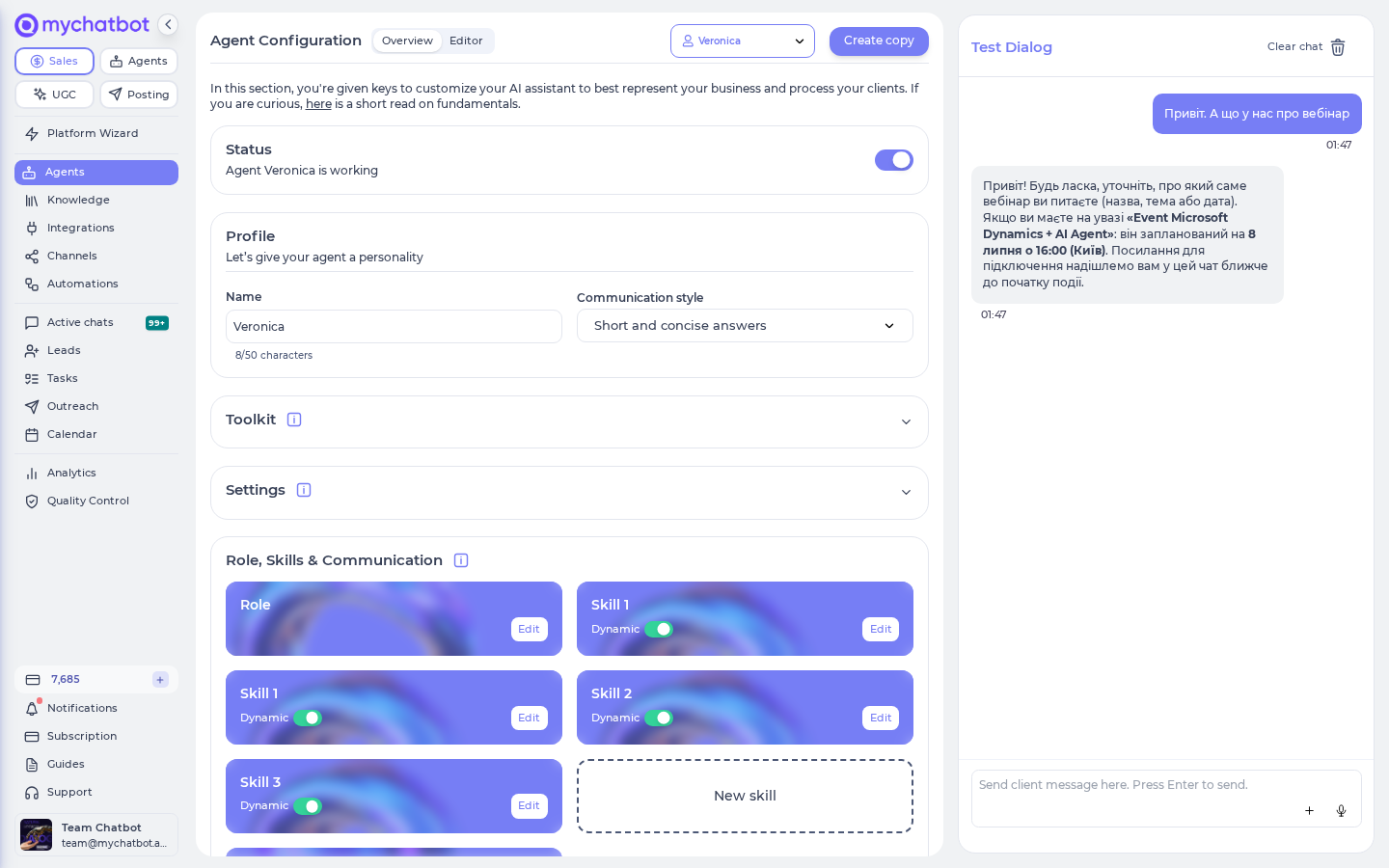
You write these behavior instructions in AI Configuration → Instructions (https://app.mychatbot.app/configuration). The product search tools listed below are available to the agent from the Agent Toolkit panel next to the editor — enable them there, then shape how the agent uses them with the prompt patterns on this page.
Cheat sheet
Map the customer's intent to the right tool and the right instruction:
| Customer intent | Tell the agent to… | Tool | Why |
|---|---|---|---|
| "Show me a gift for dry skin under 500" | Search semantically with the price cap as a filter | semantic_product_search (lte) | Range filters are enforced on semantic search; pass the bound as a number (numeric attribute required) |
| Vague / broad ("dresses", "gifts") | Resolve to a category first, then filter inside it | get_all_categories → filter_category_products | Avoids name-pollution rank flips |
| "What can I filter on here?" | Introspect the category before guessing attribute names | get_category_attributes, get_category_attribute_values, get_available_filters | Attribute names/values come from your feed and vary per catalog |
| "Something like this / alternatives" | Pivot off a known product | find_similar_products | Purpose-built neighbor search |
| "…but cheaper" | Discover the price attribute, then filter the category by an upper bound | get_category_attributes → filter_category_products (lt/lte) | find_similar_products has no price filter |
| "Do you have SKU ABC-123?" / a product URL | Exact lookup, not semantic | get_products_by_ids / get_product_details | Product search auto-switches to exact matching for codes/URLs anyway |
| "Find the product with ASHEN in its name" | Build a case-insensitive substring filter on name | semantic_product_search (contains), or filter_category_products when the category is known | Finds a partial name without guessing the full title |
| Image / "this one in the photo" | Search by image and show the matched image back to confirm | semantic_product_search (image_url) | Lookalikes can be mis-matched; visual confirmation is required |
| "Other sizes/colors of this" | Fetch variants, don't re-search | get_product_variants | Variants are grouped under their parent product |
| Nothing matched / a tool returns empty | Say "not found" and offer to broaden — never fabricate a product | (result of any search/lookup tool) | Only tool-returned products are real; invented SKUs/prices mislead the customer |
Default posture
Instruct the agent to keep limit small (default 20, hard cap 60) and to add filters rather than raise the limit. A tight filtered set converts; a wall of 60 products does not.
Filter operator quick reference
All tools accept the same ten operators with the same semantics — write your prompts so the agent picks by intent:
| Tool | Allowed operators |
|---|---|
semantic_product_search / filter_category_products / get_available_filters (filters) | eq, ne, gt, gte, lt, lte, in, contains, startswith, endswith |
Pick the operator by intent
eq/in for exact values and list membership, contains for case-insensitive partial strings, ne to exclude a value or list element, gt/gte/lt/lte for numeric ranges (bounds as numbers or numeric strings — both work — on attributes whose values read as plain numbers), startswith/endswith for case-sensitive prefixes/suffixes. All of them are enforced on semantic_product_search — a filter is never silently dropped.
Prompt pattern: filter instead of dump
Push the agent to translate the qualifiers in the customer's message (brand, material, in-stock, partial name, price cap) into structured filters on semantic_product_search — including numeric ranges, which are enforced there.
Behavior instruction to drop into the agent prompt:
text
When a customer's request contains a constraint, express it as a filter on
semantic_product_search: eq/in for exact values and list membership,
contains for partial names, gt/gte/lt/lte with numeric values for price
caps and other ranges. Keep `limit` at 20 unless the customer asks for
more. If you don't know the exact attribute name/value, call
get_category_attributes / get_category_attribute_values first.
Example call — rank by intent, constrain by a sticker tag:
json
{
  "tool": "semantic_product_search",
  "arguments": {
    "query": "gift for someone with dry skin",
    "limit": 20,
    "filters": [
      { "attribute": "stickers", "operator": "eq", "value": "Подарунок" }
    ]
  }
}
stickers matches element-wise
stickers is a list attribute, so an eq filter matches when any element exactly equals the value. Use in to accept several complete tags at once: {"attribute":"stickers","operator":"in","value":["Подарунок","Новинка"]}. This is array membership, not string substring matching; reserve contains for a string field.
Prompt pattern: partial product names
When a shopper gives only a fragment of a product name, have the agent express that fragment as a contains filter instead of relying on fuzzy ranking:
text
When the customer gives a partial product name, filter the reserved `name`
attribute with `contains`. Pass only a nonblank literal string. Do not add `*`
wildcards; contains is already case-insensitive and searches anywhere in the name.
json
{
  "tool": "semantic_product_search",
  "arguments": {
    "query": "evening dress",
    "filters": [
      { "attribute": "name", "operator": "contains", "value": "ASHEN" }
    ]
  }
}
This matches names such as The Ashen Evening Dress. attribute: "name" refers to the top-level product name, and the fragment is literal: * and ? do not act as wildcards. The same filter works after category selection in filter_category_products and when narrowing facets with get_available_filters.
Prompt pattern: disambiguate by category first
For broad or ambiguous requests, a raw semantic query is where rank instability bites — generic product names pollute the text signal and the top result can flip between runs. Have the agent narrow to a category, learn what's filterable there, then filter.
Behavior instruction:
text
For broad requests ("dresses", "a gift", "coffee") don't search blind.
1. Call get_all_categories (or categories search) and pick the best category.
2. Call get_category_attributes to see what you can filter on.
3. Call get_category_attribute_values for any attribute whose exact values
   you need (it returns the type and the common values).
4. Then call filter_category_products with the category_id and filters.
Prefer get_available_filters when you want value counts (facets) to guide
the customer ("we have 12 in red, 4 in blue").
Discover, then filter:
json
{
  "tool": "get_available_filters",
  "arguments": {
    "category_id": "dresses",
    "facet_attributes": ["color", "size"]
  }
}
json
{
  "tool": "filter_category_products",
  "arguments": {
    "category_id": "dresses",
    "limit": 50,
    "filters": [
      { "attribute": "color", "operator": "eq",  "value": "red" },
      { "attribute": "price", "operator": "lte", "value": 3000 }
    ]
  }
}
Never invent attribute names or values
Attribute names and their allowed values come from the customer's feed and vary per catalog. Instruct the agent to read them with get_category_attributes / get_category_attribute_values (or the facets from get_available_filters) rather than guessing — a wrong attribute name silently returns nothing.
Prompt pattern: cheaper & similar alternatives
"Something like this" and "the same but cheaper" are two different tools.
Similar products. When the customer likes an item and wants alternatives, pivot off its product_id with find_similar_products — don't re-run a text search.
json
{
  "tool": "find_similar_products",
  "arguments": { "product_id": "SKU-1042", "limit": 10 }
}
Cheaper alternatives. find_similar_products takes no price filter, so to force "cheaper" the agent must filter the item's category by an upper price bound. Instruct it to:
text
To offer a cheaper alternative:
1. get_product_details on the reference product to read its category and price.
2. get_category_attributes on that category to find the price attribute name.
3. filter_category_products on that category with an `lt`/`lte` filter set
   just below the reference price. Present a few, cheapest first.
Use find_similar_products (no price filter) when the customer just wants
"more like this", not specifically cheaper.
json
{
  "tool": "filter_category_products",
  "arguments": {
    "category_id": "handbags",
    "limit": 10,
    "filters": [
      { "attribute": "price", "operator": "lt", "value": 2500 }
    ]
  }
}
Same product, different variant
If the customer wants a different size or color of the same item — not a different product — use get_product_variants on the product_id. Variants are grouped under their parent product, so this returns the sibling SKUs directly.
Exact-id lookup vs semantic
Choose by whether the customer already identifies the product.
| Situation | Use | Notes |
|---|---|---|
| Customer gives a SKU / barcode / product code | get_products_by_ids (batch) or get_product_details (one) | Deterministic; no ranking |
| Customer pastes a product URL or code string | Exact lookup preferred | Product search automatically switches to exact matching for code-like and URL-like queries |
| Customer describes what they want in words | semantic_product_search | Full ranking + reranking |
Behavior instruction:
text
If the message contains an explicit product id, SKU, barcode, or product URL,
resolve it with get_products_by_ids / get_product_details — do not run a
semantic search. Only fall back to semantic_product_search when the customer
describes the product in natural language.
SKU-like attributes aren't in the searchable text
Attributes that look like identifiers (vendorcode, sku, productcode, model) are kept out of the searchable product attributes, so filtering on them inside semantic_product_search is unreliable. For exact-code needs, use get_products_by_ids. If you must rank a code query, product search already boosts exact matches — leave code handling to it rather than trying to filter on the id.
Verify visual matches with images
Image search can over-confidently promote a lookalike: a near-duplicate can land at the top even when a different item is the real answer. Never let the agent silently assume the top image is correct.
Behavior instruction:
text
When you match by image (image_url) or return a single "this is it" result
from a photo, show the customer the matched product's image and name and ask
them to confirm before adding to cart or quoting a price. If they say it's
wrong, offer the next candidates or ask for a text description to disambiguate.
json
{
  "tool": "semantic_product_search",
  "arguments": {
    "image_url": "https://example.com/customer-photo.jpg",
    "limit": 5
  }
}
Combine image with words when you have both
If the customer sends a photo and describes it, pass both image_url and query. The text signal disambiguates between visual lookalikes and keeps the answer from being decided by pixels alone.
Prompt pattern: stay grounded / no invented products
Everything the agent quotes — a SKU, a name, a price, a description, an image, a stock status — must come from a tool result. The search and lookup tools (semantic_product_search, filter_category_products, find_similar_products, get_products_by_ids, get_product_details, get_product_variants) return the real catalog rows as a list (with a count); when that list is empty the honest answer is "not found", not a plausible-looking item the model made up.
Behavior instruction to drop into the agent prompt:
text
Only ever present products that a tool actually returned. Never invent a
product, SKU, price, name, description, image, or stock status, and never fill
a gap from your own general knowledge of what the store "probably" sells.
- Quote the id, name, and price exactly as the tool returned them — don't
  round, guess, or embellish.
- If a search or lookup returns count 0 / an empty list, tell the customer you
  couldn't find a match and offer to broaden the search or adjust the filters —
  do NOT fabricate a result to fill the gap.
- If you're unsure a product exists, confirm it with get_products_by_ids /
  get_product_details before quoting it.
An empty result is a real answer — don't paper over it
An empty result means "no match", not "make something up". It usually means the filter attribute name/value is wrong or the integration's searchable attributes are stale — see the empty-results failure signature under Test it. The fix is to re-introspect attributes (get_category_attributes / get_category_attribute_values) or broaden the query, never to invent a product to hand the customer.
Best practices
Do
- Translate the customer's qualifiers into structured filters —
eq/infor exact values and membership,containsfor partial strings,gt/gte/lt/lte(numeric values) for price caps — directly onsemantic_product_search. Keeplimitsmall. - Disambiguate broad requests to a category, then introspect attributes before filtering.
- Confirm a range-filtered attribute (e.g.
price) holds values that read as plain numbers withget_category_attribute_valuesbefore promising an on-budget list — decorated values like"1 200 грн"can't be range-compared. - Prefer
find_similar_productsfor "more like this" andget_product_variantsfor "same item, different size/color". - Route explicit SKUs/URLs to
get_products_by_ids/get_product_details. - Confirm image matches with the customer before acting on them.
- Ground every product you mention in a tool result — quote id, name, and price exactly as returned.
Don't
- Don't dump a large unfiltered list and let the customer scroll — add filters instead of raising
limit. - Don't guess attribute names or values — read them from the category first.
- Don't use
containsfor list membership, numbers, or booleans; use it only with a nonblank string field and value. - Don't reach for
startswith/endswithwhen case or position is uncertain — they are case-sensitive and test the whole stored string;containsis the forgiving option. - Don't run a semantic search when the customer already handed you an exact id or URL.
- Don't treat the top image-search hit as ground truth without visual confirmation.
- Don't invent products, SKUs, prices, or descriptions to fill a gap — an empty result means say "not found", not make one up.
Test it
Validate your prompt the way the search service is validated — with query-to-expected-id checks:
- Write representative customer messages (constraint requests, a partial product name, broad requests, "cheaper", a SKU, a photo, and one that should match nothing).
- Run each through the agent and capture which tool it called and with what
filters. - Assert the returned product ids include the ones you expect, and that constrained queries actually carried filters (not a bare list).
- Assert grounding: every id/name/price the agent quotes appears in the tool's result, and when a tool returns empty the agent says "not found" instead of presenting a fabricated product.
- Watch for the failure signatures: empty results after a filter (attribute name/value wrong, or an old integration whose searchable attributes haven't been refreshed), the top result flipping between runs (needs category disambiguation), or a mis-matched image result.
In the app
Test end-to-end from AI Configuration (https://app.mychatbot.app/configuration): save the instructions, open the preview chat, and send the representative messages above to watch which tools the agent calls and what it quotes back.
See Testing & validating search for the regression-test pattern (define query + expected product ids, run, assert) and the introspection helpers.
See also
- Filters, attributes & params — operator semantics, exact-match vs range filters,
stickers - Search tools reference — every search tool, what it does, and what it returns
- Product (commerce) MCP — how to connect and the available search tools
- Image search — how visual matching works
- Getting inventory in — feeds, attributes, re-indexing
- Search troubleshooting & best practices — empty filters, rank instability, stale feeds
- Testing & validating search