
Appearance
Custom agents
When no built-in agent fits, build one from scratch. A custom agent is a blank-canvas agent that's yours alone — you name it, pick its model, write its instructions, and choose its tools, knowledge, and skills. You get up to 10.
In the app
Create one from New agent in the header of the Agents list → New agent form at app.mychatbot.app/agents/new. The form shows how many of your 10 slots are still free.
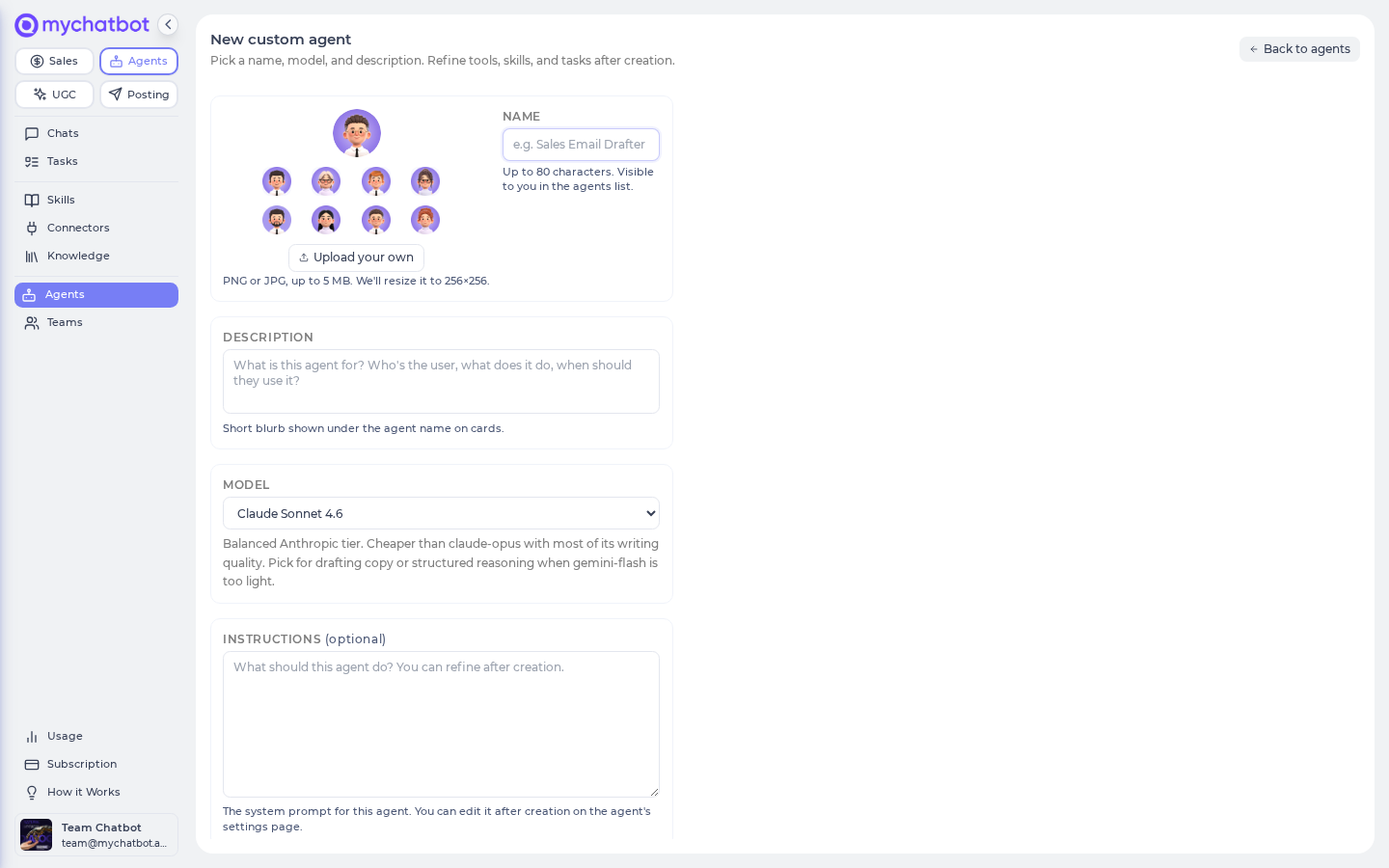
Creating one
- Give it a Name (up to 80 characters — this is what you'll see in your roster).
- Pick a Model from the dropdown (each agent's default model is tagged · default).
- Optionally add a Description and starter Instructions — you can refine both after creation.
- Click Create agent. It appears under Your custom agents on the roster (nobody else sees it), and you configure it exactly like a built-in agent — same Settings tab, same toggles. See Build an agent for the full setup flow.
A custom agent starts as a blank canvas: a generic prompt, a light default toolset, and the model you chose. From there it's a normal agent.
Delete vs. reset a custom agent
| Action | What happens |
|---|---|
| Reset to default (Settings) | Clears the agent's customizations but keeps it — it stays yours, and its slot stays used. |
| Delete this agent (Settings) | Wipes it permanently — every conversation, schedule, and saved task — and returns the slot to your free pool. This can't be undone. |
Out of slots?
Reset or delete a custom agent to free one, or contact support to raise your cap. Deleting is the only way to get a slot back; resetting keeps the slot in use.
A custom agent can graduate into the library
Two shipped specialists — HR Recruiter (Work.ua) and PROM Cart Designer — began as a single account's custom agent and were promoted (same model, prompt, and skills) into the shared agent library. There's no self-serve path for this; it's a manual MyChatBot decision. Build your idea on a custom agent, and if it proves broadly useful, it can become a library agent later.
Custom agents work solo
A custom agent is standalone — it can't be a member of a coordinating agent's team (those are made of built-in specialists). It can still hand work to peers through delegation.
Best practices
- Prefer a built-in agent when one fits. Start from the specialist whose model and defaults already match the job (Content Factory, Site Builder, Bulk Text Worker…) and customize it — build a custom agent only when nothing fits.
- Don't build a custom agent just to switch models. The model picker is on every agent's Settings tab; you never need a new agent for that.
- Keep it focused. One custom agent, one job, only the tools that job needs — see Best practices.
See also
- Build an agent — the full step-by-step setup
- Your team & the agent library — the built-in agents and the library
- Agents: concepts — customizing, resetting, and pausing
- Models & reasoning — picking a model
- Build routines with Claude or Codex — use your custom Agent inside a validated workflow